Your keyboard will learn to do much more
PlatKey
Compatible with


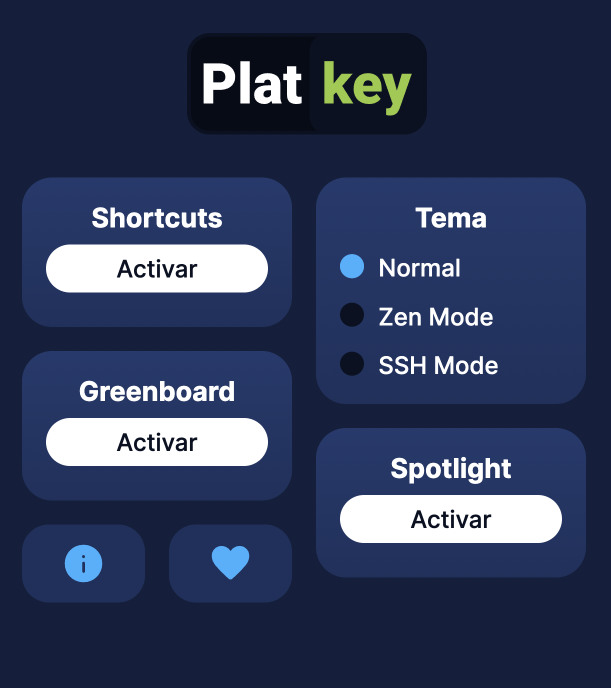
New design
How PlatKey works?
PlatKey is a tool for your browser to help you studying at Platzi!
When you install it you will be able to use the following features:
Complete exams and quizzes without using mouse
Active the Shortcuts option.
Press 1 to select the first option. 2 to select the second option. And so on 3 , 4 and 5 ...
Also works with a , b , c , d , e .
a
Try press A, B, C right now!
b
Presiona A, B, o C ahora mismo
c
Así lucen las opciones en tu examen
d
This is how your options look like
e
Is it awesome?
Also, you can press 0 or x to Skip a question.
or, use the mouse to draw in the exam
Active the option Greenboard. inside the menu.
Save contributions in your Student Home
Don't miss awesome contributions from your classmates!
Use the spotlight instantly
Augmented search engine view.
Press Ctrl + K or Cmd + K to search the expanded search engine
Move through classes with all-new shortcuts
Press Ctrl + B or Cmd + B to open the class list.
Press Shift P to go back a class.
Press Shift N to advance a class.
Press Shift M to highlight a class.
Press Shift A to open the contribution editor.
Press Ctrl + Enter or Cmd + Enter to preview your contribution.
The experience of the command line in an exam.
Use the SSH mode to activate command line design.
Frequently asked questions
What is PlatKey?
PlatKey is an open-source browser extension that adds keyboard shortcuts, an augmented search bar, an SSH mode, and other productivity tools to your Platzi experience.
Is PlatKey free?
Yes, PlatKey is completely free and open source.
Which browsers does PlatKey support?
PlatKey works on Google Chrome, Microsoft Edge, Brave, and Safari.
Does PlatKey collect my personal data?
No. PlatKey does not collect any personal information, as detailed in its privacy policy.
Is PlatKey an official Platzi product?
No, PlatKey is an independent open-source community project and is not officially affiliated with Platzi.
How do I install PlatKey?
Click the Install button at the top of this page and follow the instructions for your browser.